
Get started
Authentication & access
Authenticate from your backend with a scoped live key. Keep credentials private and separate from your dashboard login.
On this page
Authenticate each request
Send Authorization: Bearer followed by the complete crd_live_ secret. JSON writes also require Content-Type: application/json. Call from your server or Terminal, not browser JavaScript.
Never put a key in a mobile bundle, repository, analytics, or logs. The secret is shown once. The key_ record ID is a dashboard reference and cannot authenticate a request. Test credentials are rejected by the live service.
Authorization: Bearer crd_live_<your-secret>
Content-Type: application/json
Current agency verification is required
API access remains bound to the verified agency and its current owner. The service checks agency onboarding, current ownership, and approved KYC. After an ownership change, the current verified owner opens /agency/api to establish the new binding and issue replacement keys and webhook endpoints. Previous credentials cannot continue under the new owner.
If server-side verification is not configured or cannot be reached, requests fail with agency_verification_unavailable. Keeping the dashboard open is not required. Your backend uses its API key; the browser session is not its authorization mechanism.
Choose Read only or Read and write
The agency dashboard offers two permission presets. Read only is suitable for reporting, monitoring, and keeping a display synchronized. Read and write includes those reads plus creator enrollment and edits, protection activation or pause, scan requests, case reporting, profile photos and domain whitelist updates. It also includes the paid legal-escalation permission; this remains subject to its own workflow and rollout restrictions.
The preset determines what a key may request. It does not approve an agency, sign a creator mandate, make a creator eligible, or activate protection. GET /v1/me returns the exact scopes attached to your issued key.
Sending POST, PATCH, or PUT operations with a Read only key returns 403 forbidden when the required write scope is missing. Create a suitably scoped replacement key in /agency/api if the integration needs to perform those actions.
| Operation | Read only | Read and write |
|---|---|---|
| Inspect your key and assigned workspace | Yes | Yes |
| Read creators, aliases, profiles, and eligibility | Yes | Yes |
| Read scan progress and native findings | Yes | Yes |
| Read capacity, usage and events | Yes | Yes |
| Read impersonations and activity; export leak CSV pages | Yes | Yes |
| Invite or link creators; update names, aliases, and profile URLs | No | Yes |
| Resend or cancel pending invitations; detach incomplete onboarding | No | Yes |
| Activate or pause API protection scheduling | No | Yes, when workflow conditions allow |
| Request a scan | No | Yes, for an active eligible creator |
| Report a leak or impersonation account | No | Yes, for an authorized, entitled agency creator |
| Set a profile photo; add or remove a whitelisted domain | No | Yes, for a linked creator (reading the whitelist is Read only) |
| Request CRD's paid legal escalation for a leak | No | Yes, for an eligible creator's own leak |
| Create/revoke keys; register/disable webhooks | Use the authenticated agency dashboard | Use the authenticated agency dashboard |
| Sign or approve creator authorizations; perform admin actions | No | No |
Exact scopes in each preset
Read only contains six scopes: workspaces:read, creators:read, scans:read, cases:read, usage:read, and events:read. Read and write contains those six plus creators:write, protection:write, scans:write, cases:write, and escalations:write.
Permissions are issued with the key. No public /v1 endpoint changes an existing key’s scopes. Issue a new key with the desired preset, update the backend secret, verify it, and revoke the old key. Reading the roster does not activate protection or start the active-protection usage meter.
| Scope | Endpoints or action |
|---|---|
| workspaces:read | GET /v1/workspaces/{id}; includes workspace summaries in GET /v1/me. |
| creators:read | GET /v1/creators and GET /v1/creators/{id}. |
| creators:write | POST /v1/creators, PATCH /v1/creators/{id}, DELETE /v1/creators/{id} (before acceptance), POST /v1/creators/{id}/photo, and POST/DELETE /v1/creators/{id}/whitelist. |
| protection:write | PUT /v1/creators/{id}/protection. |
| scans:read | GET /v1/scans/{id}. |
| scans:write | POST /v1/creators/{id}/scans. |
| cases:read | GET creator cases and GET escalation request state. |
| cases:write | POST /v1/creators/{id}/cases. |
| escalations:write | POST /v1/cases/{id}/escalation-requests; also requires cases:read. |
| usage:read | GET /v1/usage. |
| events:read | GET /v1/events. |
Agency and workspace boundaries
A key belongs to your agency API account and its assigned workspace. It cannot create other agencies or workspaces. Resource access also depends on the current agency binding and creator membership; possession of a resource ID does not grant access.
The agency owner manages keys in /agency/api. These credentials never grant CRD administrator access or authority to approve creator mandates.
Issue, replace, and revoke keys
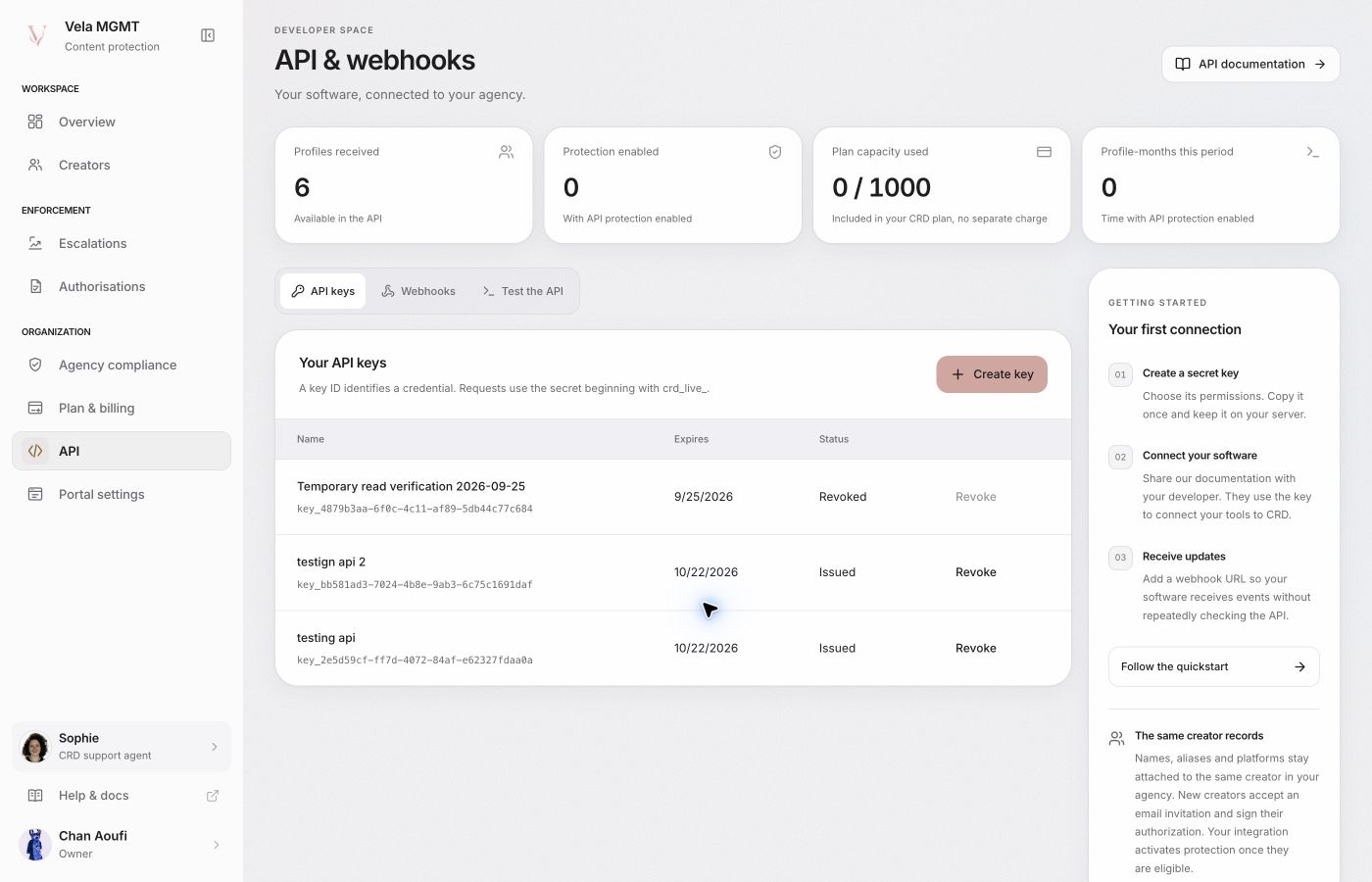
In /agency/api, optionally give the key a name of up to 80 characters, then choose 30 days, 90 days, or Does not expire. The name is a dashboard label for recognizing the integration; it is not a credential and never replaces the secret in Authorization. Existing keys can remain unnamed. GET /v1/me returns expires_at as an epoch-millisecond timestamp, or null for a key without a scheduled expiration. No expiration does not override revocation, agency verification, ownership, or permission checks.
To replace a key, create the new credential, update your backend secret, verify a request, then revoke the previous key in /agency/api. Use distinct credentials for integrations that need different permissions. The agency login, server API key, and endpoint signing secret are separate credentials with separate purposes.
Request & response example
/v1/mecurl --request GET 'https://api.crd.systems/v1/me' \
--header "Authorization: Bearer $CRD_API_KEY"{
"partner": {
"id": "ptn_example",
"name": "Example Agency",
"kind": "agency"
},
"workspace_id": "wsp_example",
"key_id": "key_example",
"scopes": [
"workspaces:read",
"creators:read",
"creators:write"
],
"expires_at": null,
"environment": "live",
"workspaces": [
{
"id": "wsp_example",
"name": "Example Agency",
"external_id": "agency_001"
}
],
"engine_configured": true
}Illustrative response. Replace example resource IDs with the IDs returned by your API requests. View endpoint details.